Comprehensible Input Apps: 6 Best Tools by Level (2026)
A comprehensible input app ranking by level and language: Dreaming Spanish, LingQ, Lingopie, Netflix with dual subtitles, podcasts and graded readers, with prices read in November 2026.
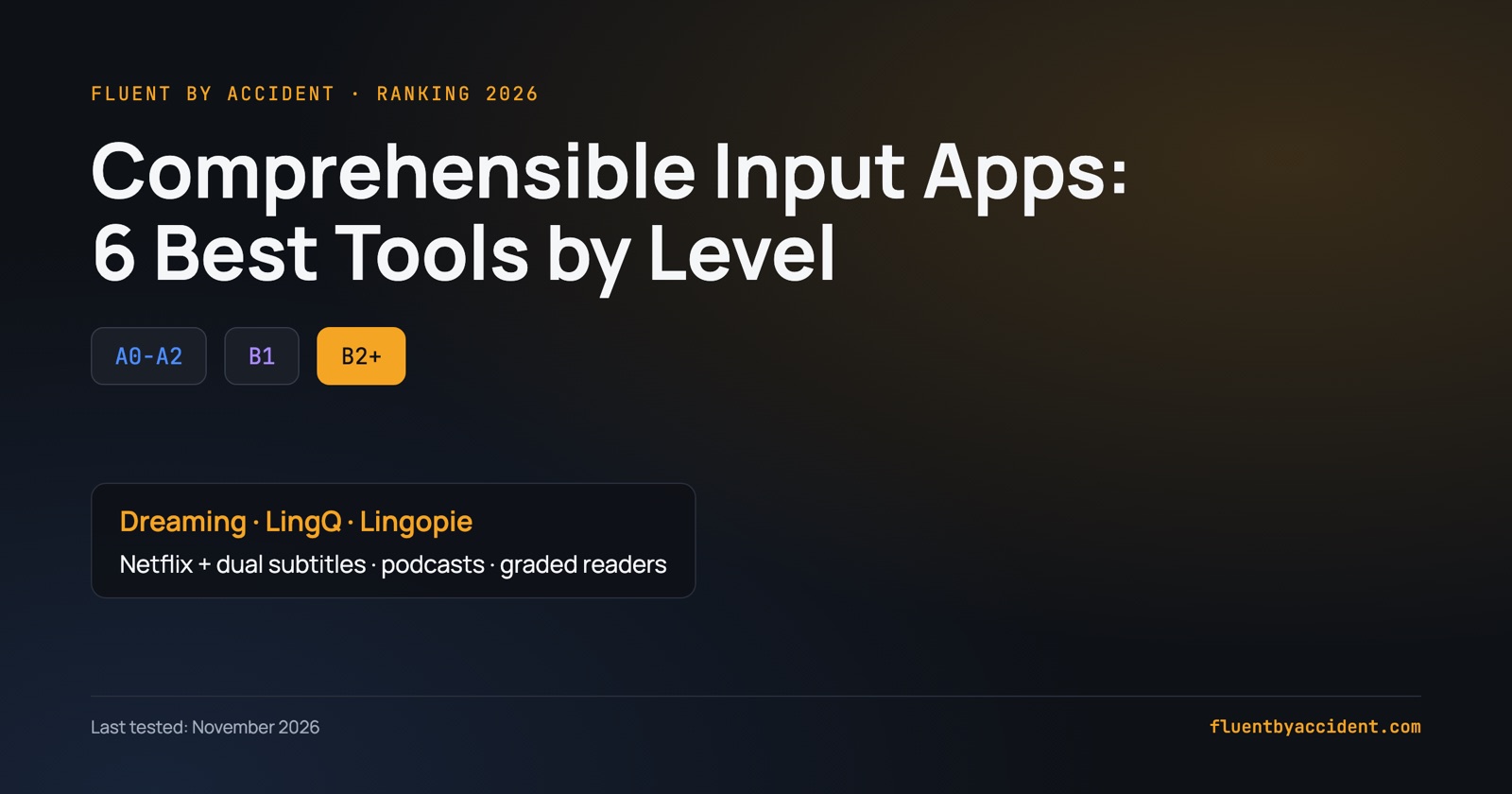
The best comprehensible input apps are Dreaming Spanish for beginners in Spanish or French, LingQ for reading plus audio in many languages, Lingopie for TV shows made for learners, and Netflix with a dual subtitle extension once you can follow native shows. Podcasts and graded readers fill the gaps for free at every level.
Which one fits you depends on two things: your level today and the language you are learning. A tool that is perfect at A1 becomes too easy by B2, and a tool with 15 languages is useless if yours is not one of them. The table below sorts that out first, then each section covers one tool.
This is not a general app list. If you want flashcards, grammar drills or tutors in the mix, read our general language app ranking by goal. And if you want the theory of why input works at all, we cover it in why watching TV shows teaches you a language, so we keep it to one short section here.
Last tested: November 2026.
How we tested: On November 25, 2026 we fetched each vendor's public page twice: with a command-line client (no JavaScript), then with headless Google Chrome on macOS (JavaScript on), and recorded only what the page text showed: number of languages listed, type of free access, platforms listed and the price shown. Results: Dreaming lists 2 languages (Spanish, French) on its FAQ page; Lingopie lists 15 languages and a 7-day free trial in its official summary, and its pricing page confirmed the 7-day trial but showed no plan prices in our render; Fluent by Accident shows $6.99 a month or $49 a year on its pricing page. Two checks failed: Dreaming's premium page showed only a sign-in prompt and no price, and LingQ's pricing URLs (lingq.com/en/pricing and lingq.com/pricing) returned a 404 error. Where a price was not shown, we name a secondary source or leave the number out. We did not measure learning outcomes.
What is the best comprehensible input app for your level?
Comprehensible input means listening or reading material you mostly understand, slightly above your current level. The best app is the one that gives you lots of that at your level, in your language. Here is the short ranking, with every fact taken from the pages listed in "How we tested".
| # | Tool | Best level | Languages | Free access | Price checked | Platforms listed |
|---|---|---|---|---|---|---|
| 1 | Dreaming Spanish | Total beginner to B1 | 2 (Spanish, French) | Free tier (per Migaku) | About $8/month (per Migaku) | Web; apps not checked |
| 2 | LingQ | A2 to C1 reading and audio | "50+" per Lingtuitive; not on a LingQ page | Not verified | Not shown (pricing page 404) | Not checked |
| 3 | Lingopie | A2 to B1 | 15 | 7-day trial | Not shown on Nov 25 (pricing page) | iOS, Android, smart TVs, Chrome extension |
| 4 | Netflix + dual subtitle extension | B2 and up | Whatever subtitles the show has | Extension free plans exist; Netflix plan needed | Fluent by Accident Pro: $6.99/month or $49/year | Chrome on desktop |
| 5 | Podcasts | Every level | Every major language | Free | $0 | Any podcast app |
| 6 | Graded readers | A1 to B2 reading | Most taught languages | Free through many libraries | Varies | Print, ebook |
The order is a judgment call, not a measured score. Dedicated CI tools come first, sorted by how early you can start: Dreaming from zero, LingQ and Lingopie from A2, Netflix from B2. Podcasts and graded readers sit last because they are formats, not single tools: a free podcast you play daily beats a paid app you open twice.
Dreaming Spanish: best comprehensible input app for beginners
Dreaming Spanish is the strongest pick if you are starting from zero in Spanish or French. Its FAQ lists just two languages in the navigation, "Spanish" and "French", and the whole product is built around videos graded from total beginner up. Its roadmap has 7 levels, the last one being "Level 7: Native content", which tells you the goal: graduate to normal media.
The FAQ is also clear about what to track: "the number one thing that you can measure is the amount of hours of comprehensible input that you have received." It recommends at least 30 minutes a day for a language somewhat related to yours, or 1 hour a day for a language that is completely different. Here is what that dose adds up to over a year, in our own arithmetic.
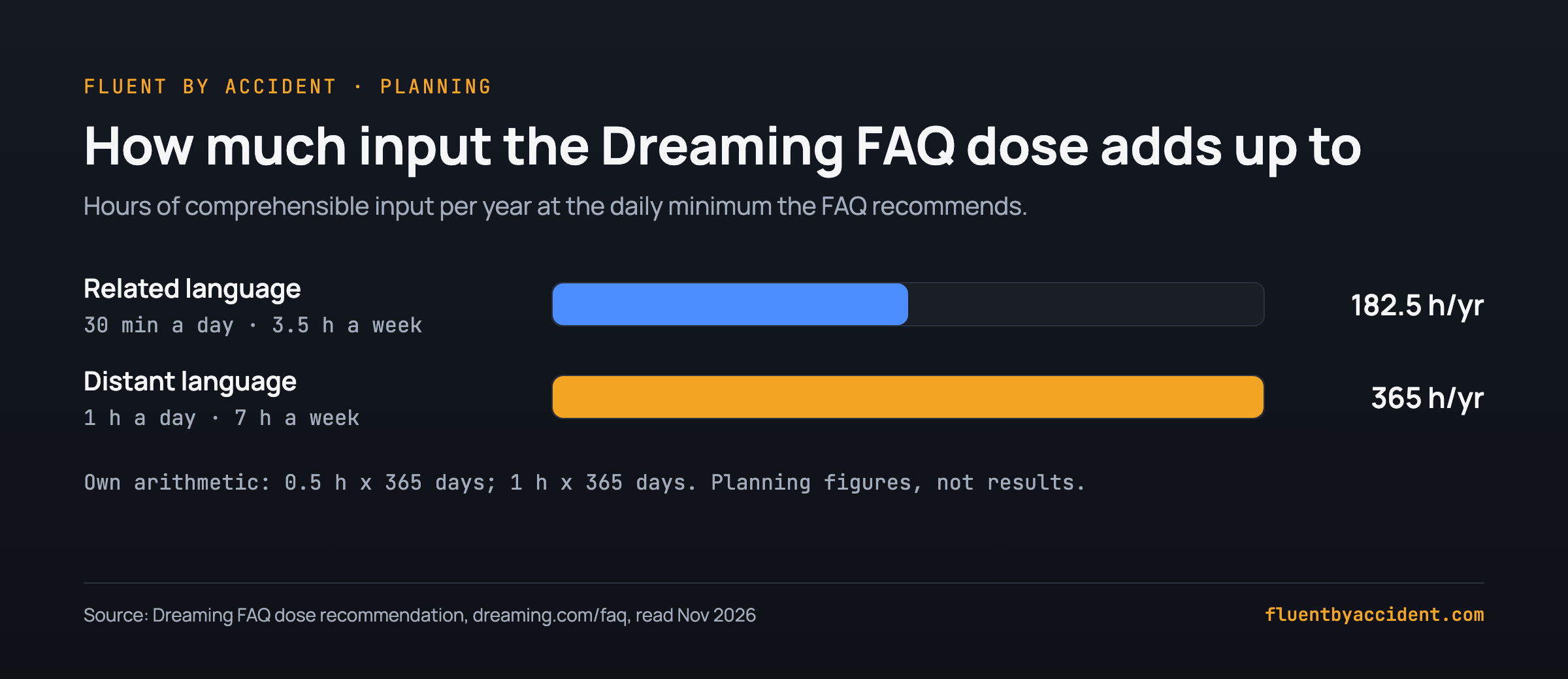
Example: If you are an English speaker learning Spanish (a related language), 30 minutes a day is 0.5 x 365 = 182.5 hours a year. If you are learning Japanese at 1 hour a day, it is 365 hours a year. These are assumptions for planning, not promises about results.
On price, Dreaming's premium page showed only a sign-in prompt and no price when we loaded it, and its FAQ says only that "the only available subscription" is the one on that page. Migaku, a competing vendor, describes it as "about $8 per month with a substantial free tier" (Migaku, May 2026). Check the live page before you pay.
Learners agree it works for Spanish at least. When italki reviewed 13 Reddit threads on Spanish apps in June 2026, Dreaming Spanish came up in 3 of them and italki labeled it "best for comprehensible input" (italki). That is a summary of opinions, not a test.
Limits: only two languages, and it is mostly listening. If your language is not Spanish or French, skip to LingQ, Lingopie or podcasts.
LingQ: best for reading and listening in many languages
LingQ suits learners who like to read along with audio and want one tool across many languages. You import or pick a text, listen, and look up unknown words as you go, which makes it a good fit from roughly A2 onward, once you have enough words that a text is not mostly lookups.
It ranks second on format, not on verified numbers: it is the only entry built around reading with matching audio. Our check of LingQ's own pricing page failed.
What we could and could not verify: LingQ's pricing URLs returned a 404 error on November 25, 2026, with and without JavaScript (a Black Friday banner was visible). So we list no price and no free-plan details. A third-party comparison by Lingtuitive lists LingQ with "50+ languages", but we could not confirm that on a LingQ page. Read LingQ's site before you decide.
Where LingQ fits in a stack: use it for the reading half of your input once graded readers start to feel thin, or when your language has no Dreaming-style video channel. If you want a head start on a specific show, you can also pull the vocabulary of an episode before you watch with our free subtitle tool, which lists every word in a subtitle file, most frequent first.
Lingopie vs Netflix with dual subtitles: which is better for comprehensible input?
Both give you real TV with clickable subtitles. The difference is who picks the shows and how much you pay. Lingopie runs its own catalogue for learners; a dual subtitle extension works on top of the streaming service you already pay for. Here is the side by side from the pages we read.
| Lingopie | Netflix + dual subtitle extension | |
|---|---|---|
| Catalogue | "5,000+ exclusive TV shows" (Lingopie) | The Netflix catalogue in your region |
| Languages | 15 | Any language a show has subtitles for |
| Devices | iOS, Android, Samsung TV, Roku, Fire TV, Android TV, Apple TV, Chrome extension for Netflix and Disney+ | Desktop browser (Chrome for most extensions) |
| Free access | 7-day free trial | Extension free plans; Netflix subscription required |
| Cost model | Own subscription; no plan prices shown on its pricing page on November 25, 2026 | Your existing Netflix plan plus an optional extension upgrade |
| Best level | A2 to B1 | B2 and up |
Lingopie is the better pick at A2 to B1 if you want shows chosen for learners and you watch on a phone or TV. Lingopie's own summary says a yearly or lifetime plan gives "full access to all 15 languages". The same summary notes that pricing changes frequently, and its pricing page showed a Fall Sale when we checked in October (in euros, from Germany). On November 25 the page showed the 7-day trial but no plan prices, so check it before you pay. Our full Lingopie review goes deeper on the catalogue and the trial.
Netflix with a dual subtitle extension is the better pick from B2 up, when native shows start to make sense. You see the original line and a translation at once, so a scene you would half-follow becomes input you understand. For which extension to use, see dual subtitle extensions compared; for what to watch, see Netflix shows for Spanish learners by level.
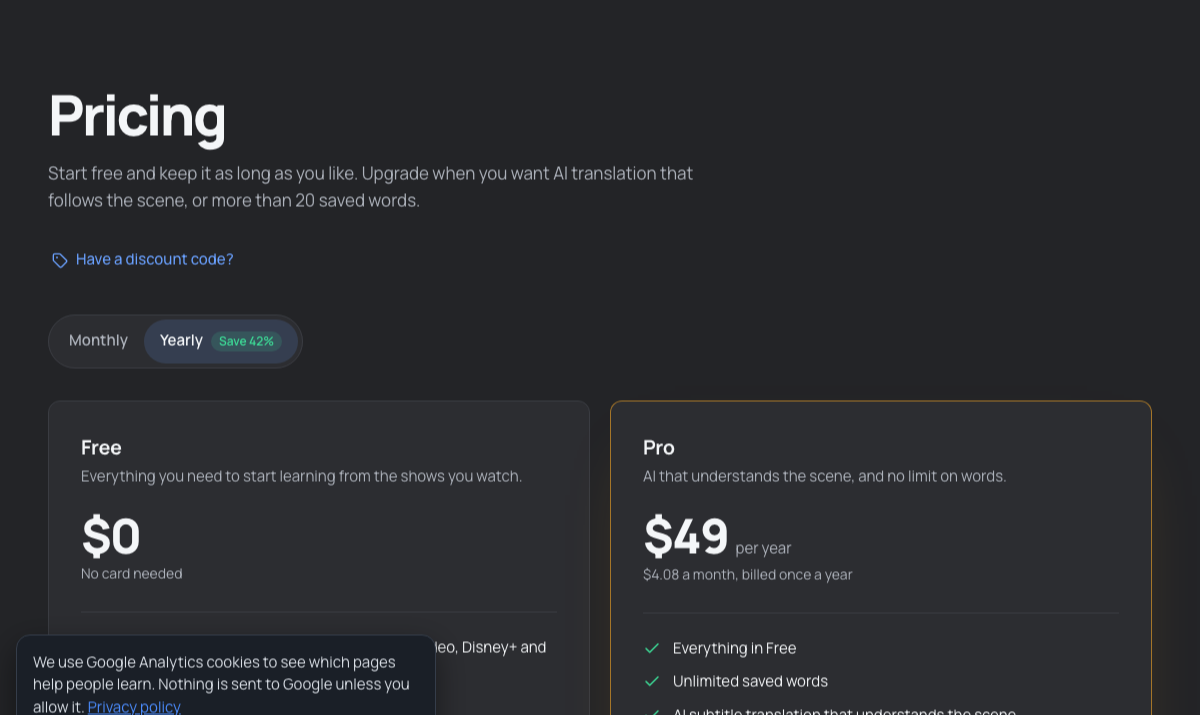
Fluent by Accident is one of those extensions. We make this one, so weigh our take accordingly. It shows two subtitle lines on Netflix, YouTube, Prime Video, Disney+ and HBO Max, lets you click a word to translate it, and saves words to flashcards with spaced repetition. Limits: Chrome only, sign-in required, no AI on the free plan, and the free plan saves up to 20 words. Pro is $6.99 a month or $49 a year on our pricing page, which is $49 / 12 = $4.08 a month on the yearly plan. It does not grade content by level or provide learner shows; it makes the shows you already watch easier to follow.
Free comprehensible input: podcasts, graded readers and YouTube
You can cover every level without paying for an app. Free input is ranked here next to the paid tools because, for many learners, it ends up being most of their hours.
Podcasts are the most flexible source: learner podcasts with slow, clear speech at the start, native talk shows later. They fit dead time (commuting, cooking) that video cannot.
Graded readers are books written for a set vocabulary size. They are reading input at A1 to B2, and many public libraries lend them in print or as ebooks.
YouTube sits between the two: learner channels for beginners, native creators later. Our guide to set up YouTube for learning covers subtitles and playback settings.
Tip: A free source you use daily beats a paid one you skip. Pair one podcast for dead time with one reader or channel for focused time, and log both.
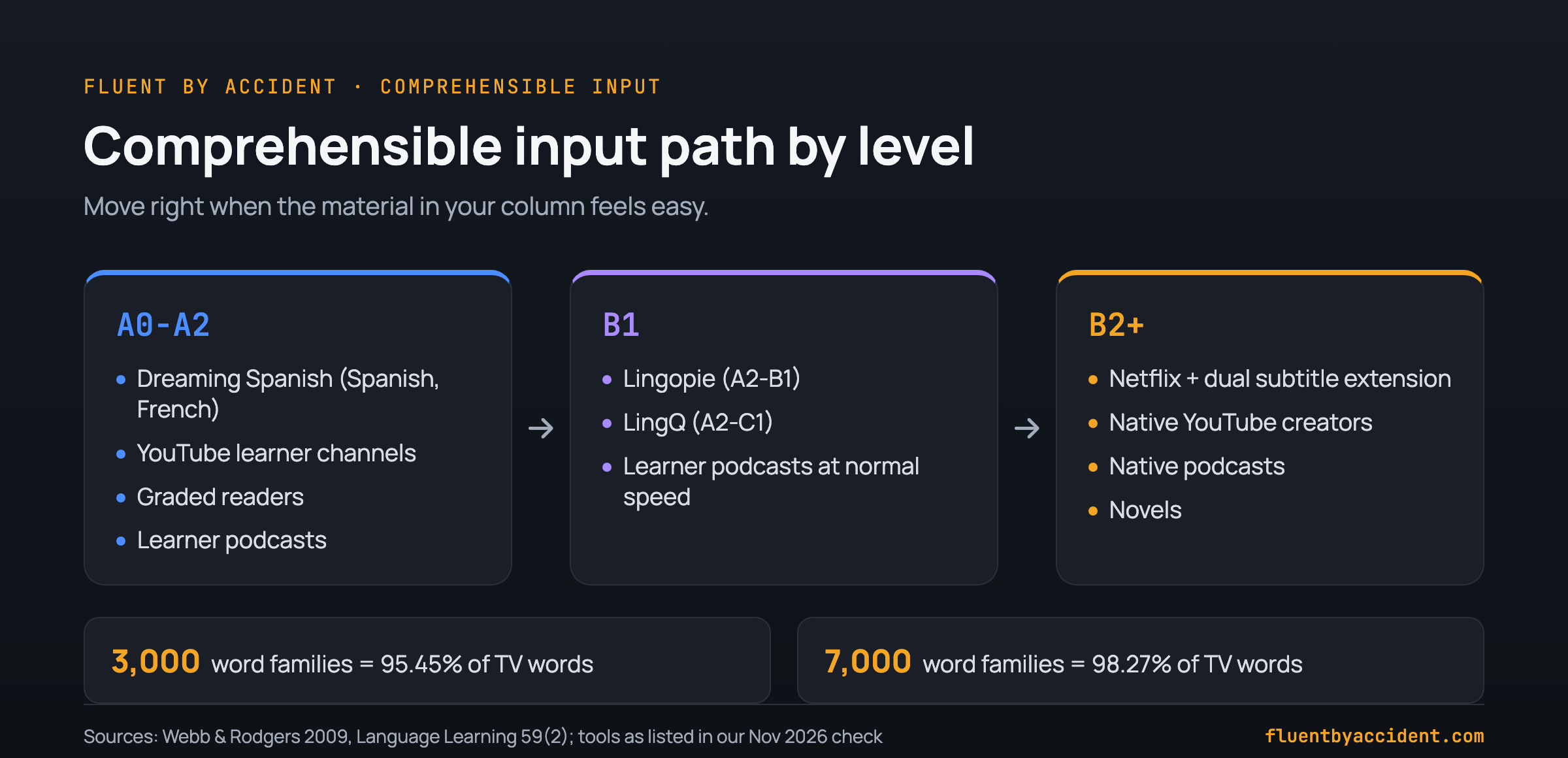
Why do native shows come so late? Vocabulary. Webb and Rodgers analyzed 88 TV programs and found that the most frequent 3,000 word families (plus proper nouns) gave 95.45% coverage of the words, and 7,000 word families gave 98.27% (Webb & Rodgers, 2009). Below that, too many words per scene are unknown for a show to count as comprehensible.
Your comprehensible input stack by level (checklist)
Pick one row, use it until the material feels easy, then move down. Daily minutes follow the Dreaming FAQ dose (30 minutes for a related language, 1 hour for a distant one).
| Level | Main input | Side input | Daily dose | Move on when |
|---|---|---|---|---|
| A0 to A2 | Dreaming Spanish (Spanish, French) or learner YouTube channels | Graded readers, learner podcasts | 30 min related / 1 h distant | You follow most beginner videos without pausing |
| B1 | Lingopie or LingQ | Learner podcasts at normal speed | 30 min to 1 h | Learner content feels slow and you want real shows |
| B2 and up | Netflix or YouTube with a dual subtitle extension | Native podcasts, novels | As much as you enjoy | You can drop the translation line for familiar shows |
Checklist: 1) Write down your level and language. 2) Cross out every tool in the ranking table that does not cover your language. 3) Pick one main input source and one free side source from your row. 4) Log hours, as the Dreaming FAQ suggests, rather than days. 5) Every month, test one step up: if you follow it, switch. 6) When you reach native shows, start with ones you have seen in your own language.
Does comprehensible input actually work?
Mostly yes as a source of exposure, but the strong version of the theory is debated. Krashen's input hypothesis said learners acquire language through input slightly beyond their level, the "i+1" idea (Krashen, 1982). Forty years on, Lichtman and VanPatten wrote that his Monitor Theory was "widely criticized and dismissed" while its ideas still "persist today", including a central role for input (Lichtman & VanPatten, 2021).
A 2025 conceptual critique goes further and argues that language development is supported by "interaction, feedback, and multimodal engagement", not input alone (Nguyen & Doan, 2025). On the narrower question of TV, a study found that viewing L2 television led to incidental vocabulary learning (Peters & Webb, 2018).
Note: The practical reading: use these apps for the bulk of your hours, and add some speaking and feedback. The full argument is in why watching TV shows teaches you a language, and the subtitle question is covered in do subtitles help you learn a language.
FAQ
What is the best app for comprehensible input?
For Spanish or French beginners, Dreaming Spanish is the strongest choice: its videos are graded from total beginner up through 7 levels, ending in native content. For other languages or for reading, LingQ is the usual pick. From A2 to B1, Lingopie offers learner-friendly TV in 15 languages with a 7-day free trial. From B2 up, Netflix with a dual subtitle extension turns native shows into input you can follow. Podcasts and graded readers are free and work at every level, so most learners combine one paid tool with one free source.
Is Dreaming Spanish free?
Partly. Dreaming's FAQ says the only subscription is the one on its premium page, which showed only a sign-in prompt and no price when we loaded it on November 25, 2026. Migaku, a competing app maker, describes Dreaming Spanish as about $8 per month with a substantial free tier. We could not confirm either figure on Dreaming's own site, so check the live premium page before you subscribe.
Is LingQ or Lingopie better for comprehensible input?
They serve different input. Lingopie is video first: TV shows with clickable dual-language subtitles in 15 languages, on phones, smart TVs and a Chrome extension, with a 7-day trial. LingQ is reading first: texts with audio where you look up and track unknown words. If you mostly want to watch, and your language is among Lingopie's 15, pick Lingopie. If you like reading along, or your language is not covered by Lingopie, LingQ is the better fit. We could not verify LingQ's price or official language count on November 25, 2026.
Can you get comprehensible input from Netflix?
Yes, once the shows are close to your level. Research on TV vocabulary found that knowing the 3,000 most frequent word families covers about 95% of the words in TV programs, so native shows usually need a vocabulary of a few thousand word families, which most learners reach only at an intermediate stage (our reading, not the study's claim). Before that, too many words are unknown per scene. A dual subtitle extension narrows the gap by showing the original line and a translation together, and lets you look up single words. Start with shows you already know in your own language, and pick ones made for your level when you can.
How many hours of comprehensible input do you need?
No study gives one number for every learner and language. Dreaming's FAQ says hours of input are the main thing to measure, and recommends at least 30 minutes a day for a related language or 1 hour a day for a distant one. In our own arithmetic, that is 182.5 hours a year at 30 minutes a day and 365 hours a year at 1 hour a day. Treat those as planning figures. Track your own hours and check every month whether the next level of material has become comprehensible.
Sources
- Krashen, S. D. (1982). Principles and Practice in Second Language Acquisition. Pergamon. https://www.sdkrashen.com/content/books/principles_and_practice.pdf
- Lichtman, K., & VanPatten, B. (2021). Was Krashen right? Forty years later. Foreign Language Annals, 54(2), 283-305. https://doi.org/10.1111/flan.12552
- Nguyen, Q. N., & Doan, D. T. H. (2025). Reassessing the Comprehensible Input hypothesis. Frontiers in Psychology, 16. https://www.frontiersin.org/journals/psychology/articles/10.3389/fpsyg.2025.1636777/full
- Webb, S., & Rodgers, M. P. H. (2009). Vocabulary demands of television programs. Language Learning, 59(2), 335-366. https://doi.org/10.1111/j.1467-9922.2009.00509.x
- Peters, E., & Webb, S. (2018). Incidental vocabulary acquisition through viewing L2 television and factors that affect learning. Studies in Second Language Acquisition, 40(3), 551-577. https://doi.org/10.1017/S0272263117000407
- Dreaming, FAQ page, read November 25, 2026. https://www.dreaming.com/faq
- Lingopie, official summary (llms.txt), read November 25, 2026. https://lingopie.com/llms.txt
- Lingopie, pricing page, read November 25, 2026 (7-day trial shown, no plan prices in our render; Fall Sale in euros seen in October 2026). https://lingopie.com/pricing
- LingQ, pricing pages at lingq.com/en/pricing and lingq.com/pricing (both returned 404 on November 25, 2026, so not linked).
- Fluent by Accident, pricing page, read November 25, 2026. https://fluentbyaccident.com/pricing
- Fluent by Accident, subtitle vocabulary tool. https://fluentbyaccident.com/tools/subtitle-vocabulary
- Migaku, The best Spanish learning apps in 2026, updated May 2, 2026. https://migaku.com/blog/spanish/the-best-spanish-learning-apps-in-2026
- italki, Best Spanish learning apps according to Reddit, threads reviewed June 3, 2026. https://www.italki.com/en/blog/best-spanish-learning-apps-reddit
- Lingtuitive, Lingopie vs LingQ, read November 25, 2026. https://lingtuitive.com/blog/lingopie-vs-lingq